

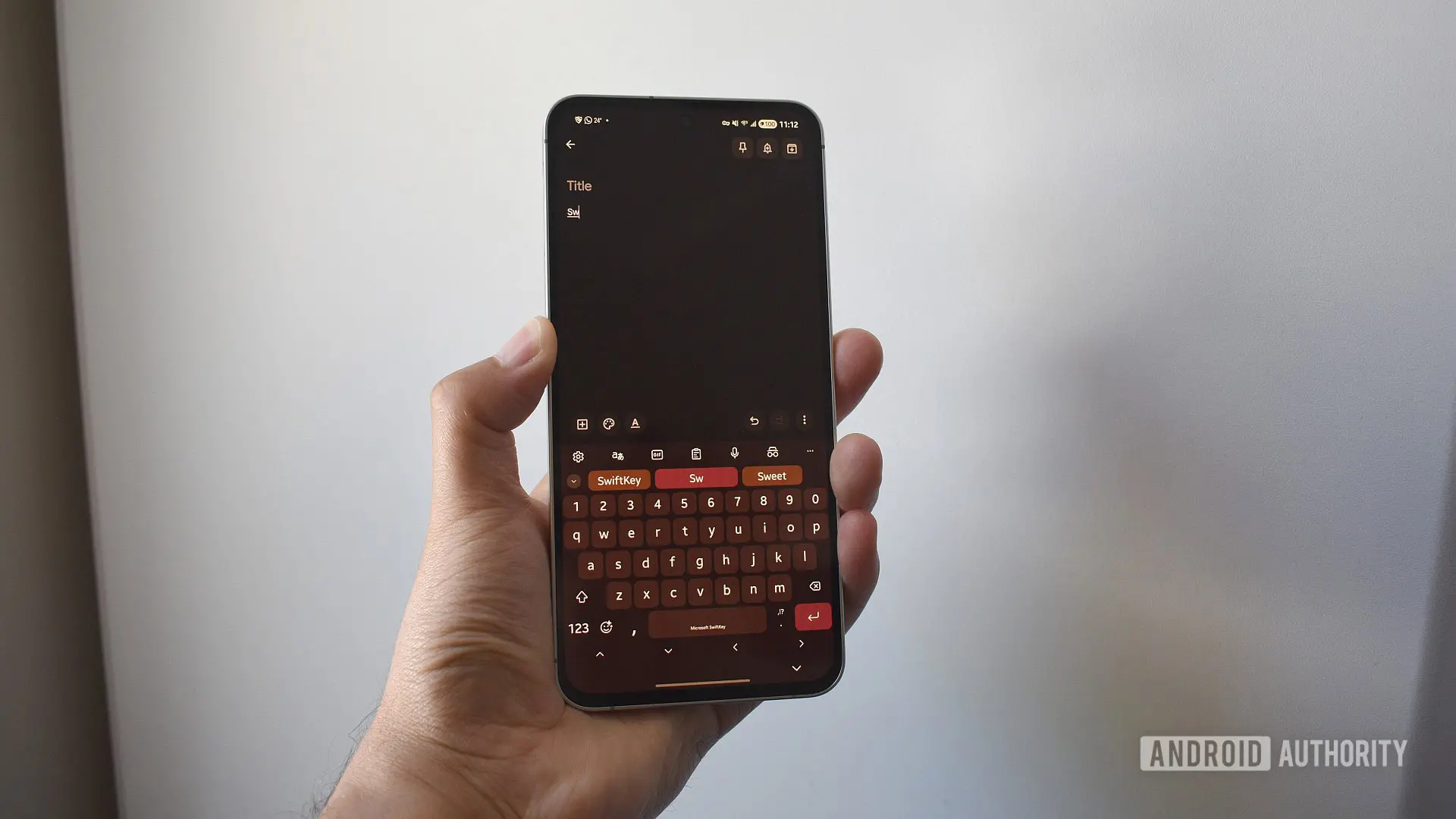
If you’ve been using SwiftKey as your primary mobile keyboard, you likely rely on its cloud backup feature to sync your personalized dictionary across devices. That feature is about to change dramatically. Microsoft, which acquired SwiftKey in 2016, has announced it will retire support for third-party account logins—specifically Google and Apple—for backup and sync purposes. The final deadline is May 31, meaning tomorrow is your last chance to preserve your data if you haven't already switched to a Microsoft account.
This move has been in the works for months. Microsoft first notified users in early 2024, delayed the deadline once, but now appears firm on the May 31 cutoff. After that date, any user still logged in with a Google or Apple account will lose access to the Backup & Sync feature and all associated data stored in the cloud. The keyboard itself will continue to function, but your personal dictionary—the collection of custom words, slang, and typing patterns SwiftKey has learned from you—will be deleted from Microsoft’s servers.
Why is Microsoft doing this? The company wants to streamline its services and encourage deeper integration with its own ecosystem. By forcing all SwiftKey users to use a Microsoft account, it can better align with OneDrive, Microsoft’s cloud storage platform. Additionally, this move allows Microsoft to offer rewards points to users who migrate, an incentive to encourage the transition. However, for users who prefer to keep their accounts separate, this change can feel intrusive and frustrating.
Understanding What You Stand to Lose
Your personal dictionary is more than just a list of words you’ve typed. SwiftKey uses machine learning to analyze your typing behavior, including which words you use most frequently, how you swipe (gesture typing), and even the punctuation patterns you prefer. This data is stored in a prediction model that becomes more accurate over time. If you’ve been using SwiftKey for years, that model is finely tuned to your writing style. Losing it means starting from scratch, which can be a significant productivity hit, especially for heavy typists and those who rely on swipe input.
Beyond the dictionary, the backup also includes your personalized prediction model, which SwiftKey builds by analyzing your typing history. This model allows the keyboard to suggest the next word based on context, learn new names and technical terms, and even adapt to your unique phrasing. Without it, you’d have to endure weeks or months of retraining the keyboard to reach the same level of accuracy.
Microsoft’s support page explicitly states that after the deadline, “you will lose any data associated with your typing” if you don’t migrate. This includes both the personal dictionary and the prediction model. The only way to retain that data is to export it from your current account and import it into a Microsoft account before May 31.
How to Export Your SwiftKey Data
The process is straightforward but does require a few steps. First, you need to access the Microsoft SwiftKey data portal. You can do this on any web browser by visiting the data portal link or directly from your phone by going to SwiftKey’s settings, then tapping Account > View and manage your data. Once there, follow these steps:
- Select your current account provider – Choose Google or Apple, depending on which you use for SwiftKey backup.
- View your data – After authentication, you’ll see a list of all words in your personalized dictionary. You can browse through them or use the Export all button to download them as a file.
- Download the file – The export will generate a file (likely in JSON or plain text format) containing your dictionary entries. Save it to a secure location on your device.
- Create a Microsoft account – If you don’t already have one, sign up at account.microsoft.com. It’s free.
- Upload to OneDrive – Log in to OneDrive with your new Microsoft account, navigate to Apps > SwiftKey, and upload the exported file there. Make sure the file is placed in the correct folder so SwiftKey can recognize it.
- Log in to SwiftKey with your Microsoft account – On your phone, open SwiftKey settings, tap Account, and sign in using the Microsoft account you just used for OneDrive. The keyboard should automatically sync the uploaded personal dictionary.
If you don’t see your personalized recommendations after logging in, double-check that the file is in the OneDrive folder. You can also manually review and edit the dictionary from within the SwiftKey app after migration. The process is similar on Android and iOS.
What Happens If You Miss the Deadline?
If you fail to export your data by May 31, Microsoft will delete all cloud backups associated with your Google or Apple account. The Backup & Sync toggle in SwiftKey settings will become grayed out or disappear entirely. However, your locally stored dictionary on each device will remain intact—until you switch devices or reinstall the app. Once that happens, you’ll lose all personalized data because there’s no cloud backup to restore from.
To be safe, consider enabling a local backup by manually exporting your dictionary from the data portal even after the deadline if possible, though Microsoft may disable that option. Alternatively, you could take a screenshot of your dictionary list if the export function stops working. But the recommended and most reliable method is to migrate before tomorrow.
The Benefits of Switching to a Microsoft Account
While the mandatory change may be inconvenient, there are some silver linings. For one, Microsoft is offering up to 1,000 Reward Points to users who migrate their SwiftKey backup to a Microsoft account. These points can be redeemed for various perks, including discounts at Microsoft Store, Xbox credits, gift cards, or donations to charitable organizations. The offer is time-limited, so it’s worth checking the rewards page after you complete the migration.
Additionally, using a Microsoft account integrates SwiftKey more tightly with Windows and Office. If you use SwiftKey on Windows 10 or 11 (the app is available for Windows), your dictionary will sync across all your devices seamlessly via OneDrive. This cross-platform syncing can be a significant advantage for users who type on both phone and PC. Some users also find that Microsoft’s servers provide faster syncing and better reliability than Google’s backup service did.
Critically, Microsoft has assured users that the prediction model and dictionary data are encrypted both in transit and at rest. While Google also offered encryption, the use of OneDrive gives you more direct control over your backup files—you can view and manage them as you would any other OneDrive file.
A Brief History of SwiftKey and Microsoft’s Involvement
SwiftKey was founded in 2008 by Jon Reynolds and Ben Medlock in London. The keyboard quickly gained popularity for its innovative swipe input and predictive text technology, earning awards and a loyal user base. In 2016, Microsoft acquired the company for a reported $250 million, integrating it into its mobile services portfolio. Since then, SwiftKey has remained a staple on Android and iOS, though its development pace has slowed compared to competitors like Gboard.
Under Microsoft, SwiftKey gained features like cloud sync via Microsoft account, but many users continued to use the older Google login option. For years, Microsoft allowed both systems to coexist, but now the company is consolidating. This isn’t the first time Microsoft has sunset a legacy feature—similar transitions happened with Skype accounts and Xbox Live logins. The company appears focused on a unified identity system across all its products.
Alternatives to SwiftKey
For users who are unhappy with the forced migration, there are other keyboard options. Gboard, by Google, offers robust predictions, swipe input, and seamless Google account sync. It also supports multiple languages and has a built-in search feature. Apple’s native keyboard on iOS has improved significantly with iOS 17, adding better autocorrection and predictive text. For those who prioritize privacy, OpenBoard is an open-source alternative that doesn’t require any account login. However, none of these offer the same level of customization for your personal dictionary as SwiftKey does when properly trained.
If you’ve invested years in building your SwiftKey prediction model, the effort to export and migrate is likely worth it. The process is straightforward and only takes a few minutes. After tomorrow, that option may be gone forever.
Act now to ensure your typing data isn’t lost. Even if you’re not sure whether you use a Google or Apple backup, check your SwiftKey settings today. The account section will show which login method you’re using. If it says Google or Apple, you need to export immediately. If it already shows a Microsoft account, you’re safe—but double-check that syncing is enabled.
Microsoft’s decision to end third-party logins is part of a broader push to unify its ecosystem. While it may seem like a heavy-handed move, the company is offering incentives and ample notice. The deadline is tomorrow, so don’t delay. Save your SwiftKey data by exporting it now, and then log in with a Microsoft account to continue enjoying a personalized keyboard experience across all your devices.
Source: Android Authority News